
Installation
Last updated:Installing Starlink: mounts, cable and Wi-Fi at home
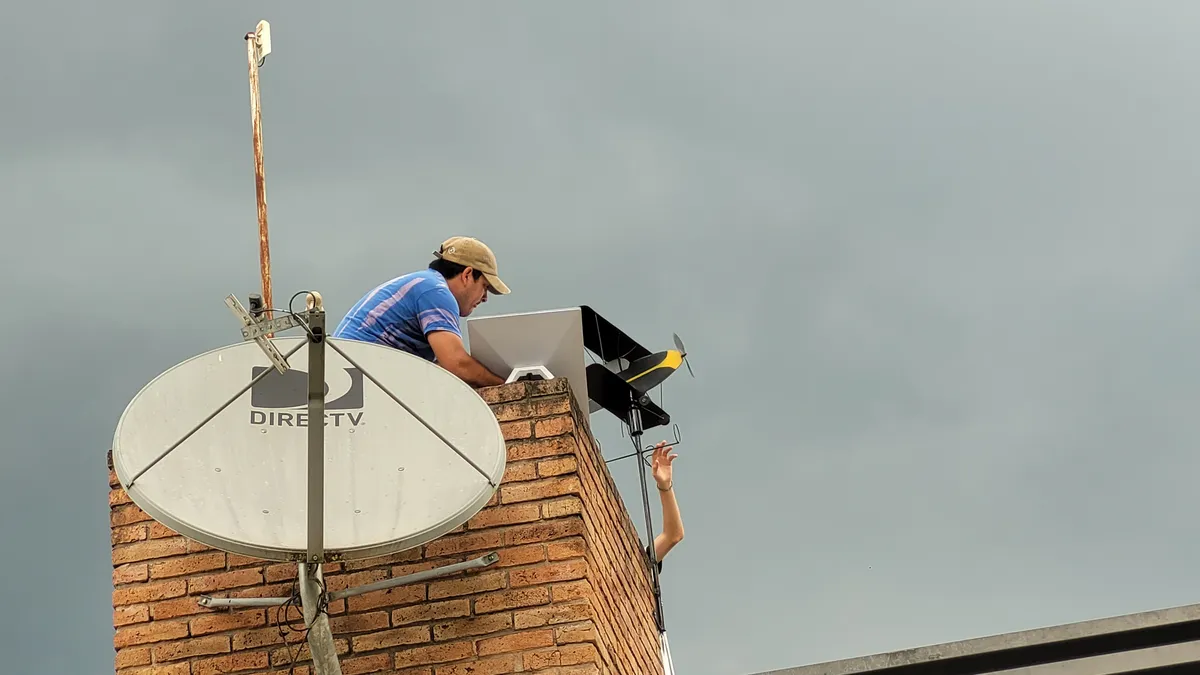
Starlink is built for you to plug in yourself: dish, cable, power supply and router. The only real work is a permanent mount on the roof or wall and getting Wi-Fi through the whole house. We've summed up what comes in the UK kit, what the Starlink shop sells and when the professional installation is worth it – order form and shop checked on 3 November 2026. Prices are for the UK; in euro countries the installer costs €172.
In short
- Can I do it myself?
- yes – plugging in takes a few minutes, and anyone with a drill can put up a mount
- Kit with Residential 100 Mbps
- Mini X with Wi-Fi in the dish, kickstand, pipe adapter, 15 m power cable and Router Mini
- Kit with 200 Mbps and Max
- Standard 4 with Router Mini
- Professional installation
- £74 with 100 and 200 Mbps; free with Max through an authorised installer, who brings the mount
- Mount from the Starlink shop
- for the Mini: wall mount £8, pivot mount £72
€45 from Starlink
New customers who order on starlink.com through our referral link get €45 as cash or service credit after two months of subscription (zł 190 in Poland, Kč 1,000 in Czechia).
Order Starlink with the €45 reward →Referral code: RC-DF-16214453-40077-90 (applied by the link, there is no box to type it in)
Referral link: you get the discount or bonus, the author a small reward. Your price doesn’t go up. How it works
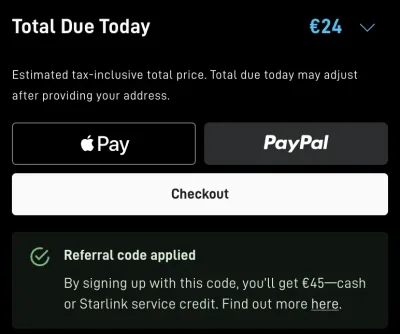
How to get the reward
- Click the link above – starlink.com opens with the referral applied
- Order a Residential or Roam plan – the checkout shows “Referral code applied” with the amount for your country
- Activate your kit and stay subscribed for at least 2 months – then the reward is yours as cash or service credit
When do I get the reward? Starlink says rewards go out from about 60 days after activation – the exact timing depends on your country, account settings and an identity check. You need to stay subscribed for at least two months. In your Starlink account you choose whether you want the reward as cash or as service credit, and Starlink sends an email once it’s confirmed.
| Residential 100 Mbps | Residential 200 Mbps and Max | |
|---|---|---|
| Dish | Mini X, 298.5 × 259 mm, 1.1 kg | Standard 4, 594 × 383 mm, 2.9 kg |
| Wi-Fi | in the dish, plus a Router Mini (Wi-Fi 6) in the kit | Router Mini (Wi-Fi 6) in the kit |
| Cable from the dish into the house | the 15 m power cable – internet comes over Wi-Fi | the Starlink cable |
| Power draw | 25–40 W | 75–100 W |
| Mount in the kit | kickstand, pipe adapter and flat mount | kickstand; pipe adapter £56 |
| Wall / pivot mount | £8 / £72 | £50 / £90 |
| Longer cable | 30 m power cable, £60 | 45 m Starlink cable, £130 |
| Professional installation | £74 | 200 Mbps £74, Max free |
Sources: Starlink Residential order form on starlink.com for London (Trafalgar Square) and the Starlink shop for the UK, 3 November 2026 (kits, installation and accessory prices); spec sheets for the Mini X and Standard 4X; Mini accessories guide. Starlink changes prices and kits – the order form shows what applies today.
What the installer does
With 100 and 200 Mbps you can add professional installation in the UK order form for £74 and book a slot after checkout; Starlink notes that non-standard installations may cost extra. With Residential Max it's free: an authorised installer fits the dish permanently on your home, brings the mount and gives a 30-day warranty on the install – you get an email to prepare and schedule it after checkout. You can use Starlink before the visit – leave the dish on its kickstand for a few days to be sure of the spot.
Installation step by step
1. Spot first, holes later. Starlink needs as clear a view of the sky as possible – a branch, a pole or the roof ridge causes dropouts. The Starlink app shows obstructions through your phone camera. So put the dish on its kickstand in the garden or on the patio first, let it run for a few days, and only then drill.
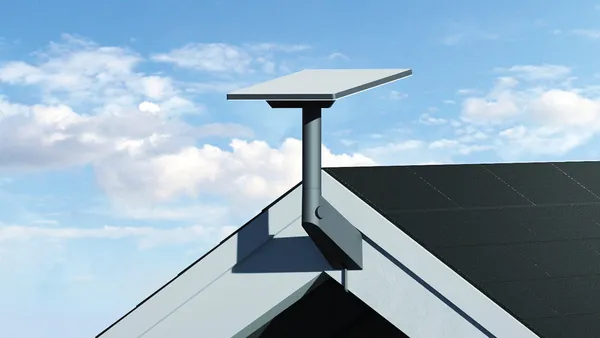
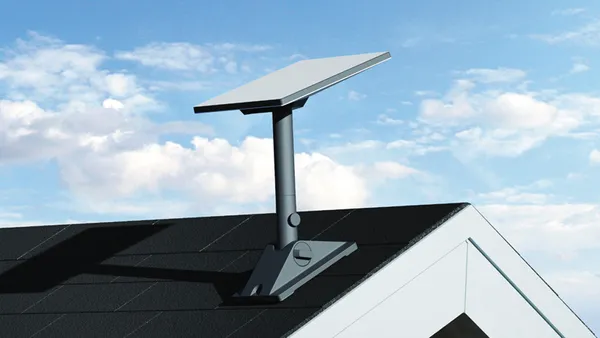
2. The mount. The Mini X comes with a kickstand plus a pipe adapter and flat mount, so it fits on any pipe or pole. The UK Starlink shop sells a wall mount for the Mini for £8 and a pivot mount for pitched roofs for £72; for the Standard 4 the wall mount costs £50, the pivot mount £90 and the pipe adapter £56. You don't need the original: a sturdy pipe the adapter fits is enough.
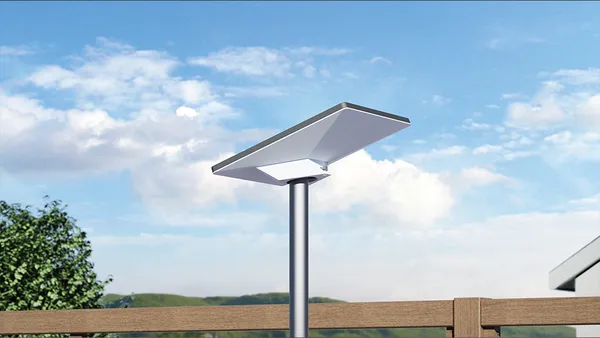
3. The cable into the house. With the Mini X, only the 15 m power cable runs from the dish into the house; internet comes over Wi-Fi. Its plug is 13.3 mm wide according to the spec sheet, so the hole in the wall has to be slightly bigger. The Starlink shop sells a cable routing kit for £43 and a masonry routing kit for £50. The Mini X power supply can sit outdoors (IP66); the router belongs inside.
4. Wi-Fi in the whole house. The Mini X sends Wi-Fi straight from the dish, but walls weaken it. That's why the kit includes a Router Mini: put it indoors, no more than two rooms from the dish and not on the floor, and pair it in the app as a mesh node. A cable to the dish is more reliable – Starlink recommends its own Mini Ethernet cable (15 m, £60), which isn't in the kit. According to Starlink, a third-party cable in the dish's port voids the IP67 rating. An extra Router Mini costs £55; with Max the order form adds one for £0. Starlink doesn't support third-party mesh systems.
5. Ethernet sockets and a switch. Starlink lets you connect your own devices, a switch included, but doesn't guarantee their performance. The switch goes after the router, not between the power supply and the router. The Router Mini has one WAN port (where the cable from the dish goes) and one LAN port: plug the switch into LAN and run cables from it to the sockets in the rooms.
6. Your own router. If you want your own router – for port forwarding, say, or because you already have a third-party mesh – connect it by cable to the Mini's Ethernet port and turn on Bypass mode in the app (Settings → Router → Bypass). The dish's Wi-Fi switches off and only comes back after a factory reset. Don't use Bypass together with the Router Mini.
Frequently asked questions
Can I install Starlink myself?
Yes. Plugging in is simple: dish, cable, power supply into the socket and the Starlink app. The only real work is a permanent mount on the roof or wall and getting the cable into the house. In the UK, professional installation is £74 with 100 and 200 Mbps and free with Max (order form, 3 November 2026).
How much does Starlink installation cost in the UK?
In the order form for London (3 November 2026), professional installation costs £74 with Residential 100 Mbps and 200 Mbps. With Residential Max it's free: an authorised installer fits it, the mount is included and the install has a 30-day warranty. Non-standard installations may cost extra. In euro countries such as Germany, Portugal or Croatia the installer costs €172.
Which Starlink mount should I buy?
The Mini X comes with a kickstand and pipe adapter, so a sturdy pipe or pole is enough. In the UK Starlink shop the Mini mounts cost £8 (wall) and £72 (pivot, for pitched roofs), the Standard 4 mounts £50 and £90, and the pipe adapter £56 (3 November 2026).
How big a hole do I need in the wall?
With the Mini X, the power cable goes through the wall, with a plug 13.3 mm wide; with the Standard dish it's the Starlink cable, with a 13.1 mm plug (Starlink spec sheets). The hole has to be slightly wider than the plug. The cable routing kit costs £43 in the Starlink shop, the masonry kit £50.
Can I shorten the Starlink cable or change the plug?
Starlink's help doesn't cover it, and the kit is rented: you send it back when you cancel. For the Mini, Starlink warns that a third-party cable in the Ethernet port voids the IP67 rating. It's safer to coil the spare cable or buy a longer one (30 m power cable for the Mini, £60).
How do I get Wi-Fi in the whole house?
The Router Mini comes with the home kit. Put it indoors and pair it in the app as a mesh node, or connect it to the dish with Starlink's Mini Ethernet cable (15 m, £60) – that's more reliable. An extra Router Mini costs £55; Starlink doesn't support third-party mesh systems.
Can I connect Starlink to a switch and Ethernet sockets?
Yes. Plug the switch into the LAN port of the Starlink router (the Router Mini has one LAN and one WAN port), not between the power supply and the router. Starlink allows your own devices but doesn't guarantee their performance.
Do I get a reward if I order through a referral?
Yes: new UK customers who order Starlink on starlink.com through a referral link get £40 as cash or service credit after two months of service.
More Starlink guides
€45 from Starlink
New customers who order on starlink.com through our referral link get €45 as cash or service credit after two months of subscription (zł 190 in Poland, Kč 1,000 in Czechia).
Order Starlink with the €45 reward →Referral code: RC-DF-16214453-40077-90 (applied by the link, there is no box to type it in)
Referral link: you get the discount or bonus, the author a small reward. Your price doesn’t go up. How it works
Not ordering today? Save the link
The €45 reward only applies if you order through this link – even a week from now.
Referral code: RC-DF-16214453-40077-90 (applied by the link, there is no box to type it in)
https://starlink.com/?referral=RC-DF-16214453-40077-90